
Appearance
Profile
The Profile page lets guides manage their own professional information. Navigate here from the sidebar under Profile.
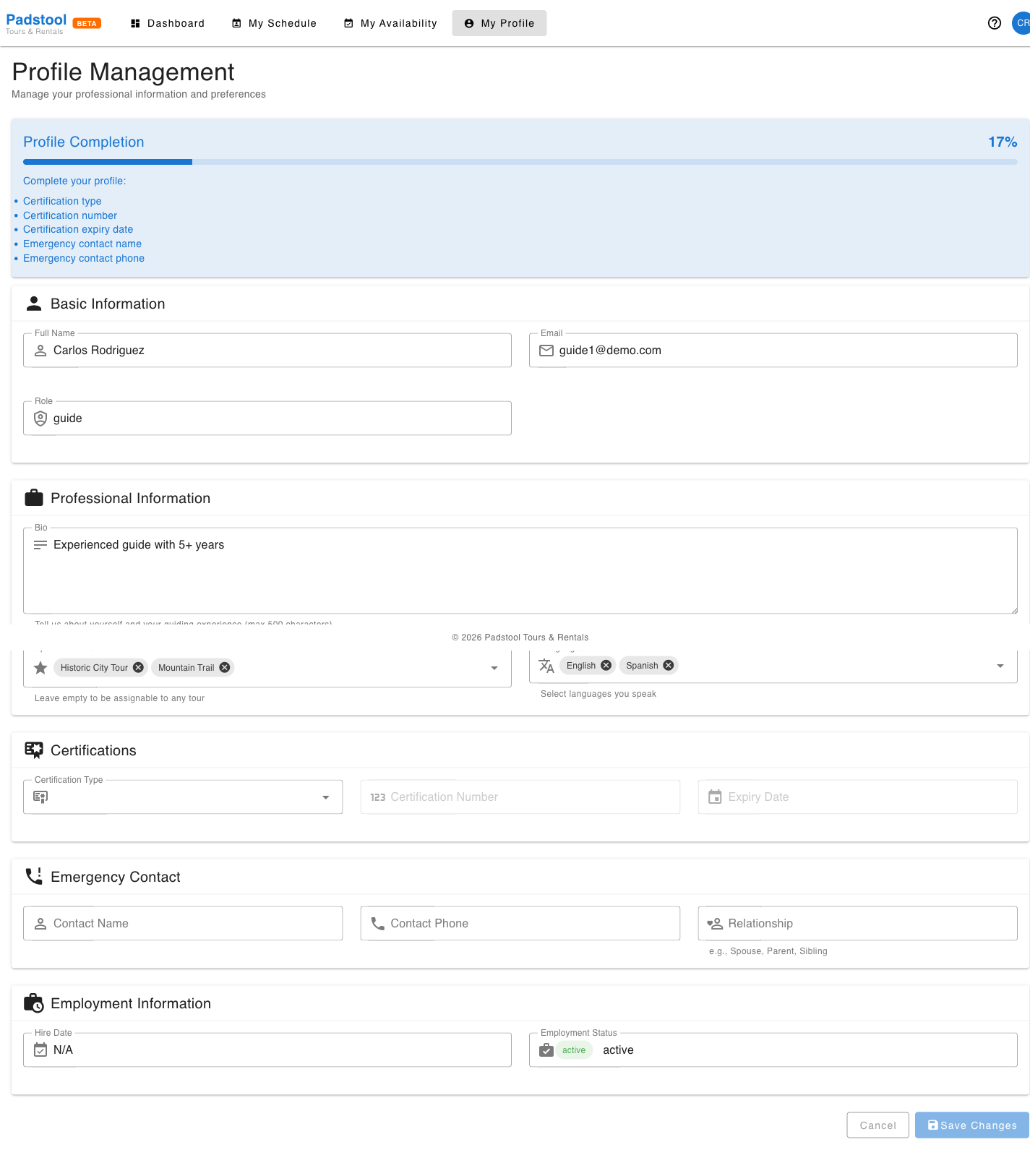
Profile completion
A progress bar at the top shows how complete the profile is as a percentage. Below it, any missing fields are listed so the guide knows exactly what to fill in. A complete profile helps admins match guides to the right tours based on their skills and languages.
Basic information
Name, email, and role are shown as read-only fields. These are set by the admin and cannot be changed by the guide directly. To update a name or email, ask an admin to edit the guide record.
Professional information
The fields guides can edit:
- Bio — A short description of background and guiding experience (max 500 characters). Shown internally to admins.
- Specializations — Tour categories the guide is qualified to lead (e.g., City tours, Adventure, Food tours). Used by admins when matching guides to tours. Guides can type custom values or select from existing options. Leave empty to be assignable to any tour.
- Languages — Languages spoken. At least one is required. Used to match guides to tours scheduled in a specific language.
Certifications
Optional but useful for compliance tracking:
- Certification type — The primary certification category (e.g., First Aid, Tour Guide License).
- Certification number — The certificate reference number.
- Expiry date — When the certification expires. Admins can monitor expiries from the admin panel.
Saving changes
Click Save Changes at the bottom of the page to apply any edits. The page validates required fields (at least one language must be selected) before saving.
TIP
Completing your profile is important for getting assigned to tours. Admins use specializations to find the right guide for a given tour type, and languages to staff tours in specific languages. An empty specializations list means you are available for any tour, which is fine for generalist guides.