
Appearance
Language Settings
Language settings configure the default language for your organization and the languages in which you offer tours. Customers can filter tours by language when booking.
How to configure languages
- Navigate to Settings > Language.
- Select your default language and enable supported tour languages.
- Click Save Changes.
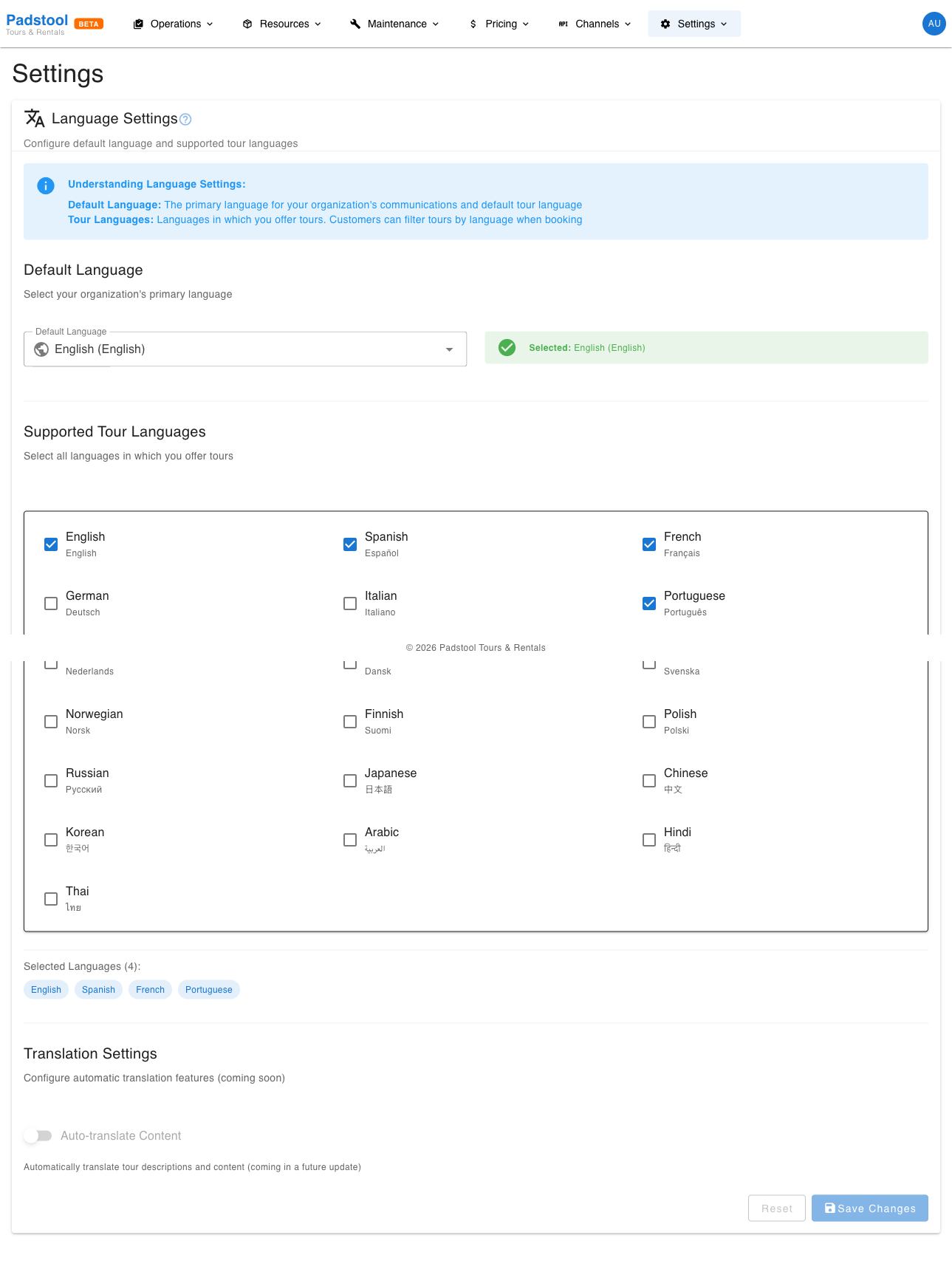
Default language
| Setting | What it controls | Example |
|---|---|---|
| Default Language | Your organization's primary language, used as the default when creating new tours | English |
The default language is automatically included in the supported tour languages list and cannot be removed from it.
Supported tour languages
Select all languages in which you offer tours. These languages appear as options when:
- Creating or editing tours - each tour can be assigned a language.
- Scheduling tours - schedules inherit the tour's language and display a language flag.
- Customer booking - the booking widget shows language flags so customers can identify tours in their preferred language.
- Guide assignments - the system shows which guides speak the required language.
Enable only the languages you actively offer tours in. This keeps the language selector clean and avoids confusion.
Example: Hamburg Bike Tours offers tours in German, English, and Spanish. They set German as the default language and enable all three in the supported languages list.
Where languages appear
| Location | What is shown |
|---|---|
| Tour definitions | Language selector when creating/editing tours |
| Schedule calendar | Language flag on each scheduled tour |
| Booking widget | Language flag next to available time slots |
| Guide profiles | Languages each guide speaks |
| Guide assignments | Language matching between tours and available guides |
| Manifests | Language flag on the day-of-tour view |
Tips
- Only enable languages you currently offer tours in. You can always add more later as you expand.
- Make sure your guide profiles have their spoken languages set correctly - this is used when filtering available guides for a tour's language.
- If you add a new language, you will also need to create tour definitions and schedules in that language before customers can book.
- The default language is a sensible starting point for new tours, but each tour can be set to any of the supported languages.
INFO
Language settings control which languages are available for tour configuration. They do not translate the admin interface itself - the platform interface is in English.